 TwentyList
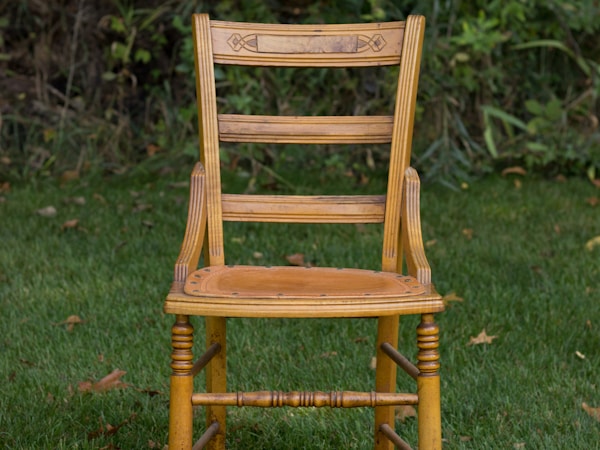
$15
Rent, groceries, and textbooks already hurt. TwentyList is the pickup marketplace for college students and young adults — open to everyone — who want real stuff nearby, not another cart with shipping tacked on. Nothing over $50 (and tons under $20), filtered by your ZIP and radius in miles.
Founding Seller spots are limited per ZIP — claim yours before we open your area.
Or see how it works →Gaming · College only
$15

$12

$8

$20
Early access
We’re opening one city or ZIP cluster at a time — density beats nationwide reach. The iPhone and Android apps launch together — one waitlist for both. Tell us which you’ll use and we’ll send the right store link on launch day.
iPhone & Android · launching together
Email + home ZIP is all you need. You’ll get a unique Founding Seller code instantly — redeem it in the app after launch to unlock, for life:
Your wallet in 2026
Prices are up. Side gigs are unpredictable. TwentyList keeps shopping local, small, and capped — so you are not hunting $200 “deals” or paying shipping on a $12 find.
Pickup only — no delivery fee, no “$7.99 shipping” on top of a used textbook. You meet nearby and pay the seller directly.
The feed never shows a $500 chair next to your $15 lamp. Sort by lowest price and filter to ≤ $5 / $10 / $20 / $35 / $50 in the app.
Graduating seniors dump fridges, desks, and consoles every semester. Buy from people leaving town — not a warehouse three states away.
Browse and list for $0. TwentyList does not take a cut of item sales in the MVP — optional boosts are for sellers who want extra visibility.
Example: what the same week might cost
Illustrative ranges — real savings depend on what’s listed near you. The point: stay under $50 (tons under $20) and skip shipping entirely.
Same app you will download
The landing page mock matches the real Expo app — ZIP-based feed, radius in miles, filters sheet, and tab bar.
Header shows Near {ZIP} · {N} mi — same as Home. Default radius is 10 mi; pick 0.5, 1, 2, 5, 10, 25, or 50 in Filters.
Newest · Closest · Lowest $. Price filters: $5 / $10 / $20 / $35 / $50. Category tiles, College students only, and Available vs Sold listings.
Listing cards show price, title, and distance in miles. Boosted listings get a blue highlight; Premium sellers get a deeper blue ring.
Post Ad flow with up to 5 photos (2 MB each). Save favorites. Tap Contact on a listing to message the seller — no in-app payments for items.
Verify a .edu email for the college badge. Waitlist signups get a Founding Seller code. Premium is optional for power sellers.
Why students switch
When rent and groceries eat first, you need a desk chair for $15 — not a $12 lamp that becomes $22 after shipping. TwentyList is built for the current economy: local pickup, hard $50 cap (tons under $20), miles-based feed.
A hard cap so you never fall into “just one more scroll” and spot a $500 couch. Tons of finds under $20 — perfect for ramen-budget weeks, textbook flips, and move-out steals.
Set home ZIP + radius (0.5–50 mi). Feed only shows listings inside that circle — sort by closest, newest, or lowest price.
Cash, Venmo, or whatever you agree on at a public meetup spot. We connect you — we don’t run checkout for items.
Snap photos, set a price up to $50, publish in minutes. Clear your dorm or side-hustle declutter — no shipping forms.
College student badge for verified .edu sellers. Real photos required. Report sketchy listings — meet in public, bring a friend.
Optional boosts put your listing at the top of the local feed for 24 hours. Nice to have — never required.
How it works
Furnishing your first place, hunting dorm deals, or dumping stuff before lease end — same simple flow.
Enter your home ZIP and choose radius in miles. Listings outside your selected radius never appear in the feed.
Scroll deals in your area, heart favorites, or post your textbooks and furniture — always capped at $50.
Coordinate pickup, meet in public, inspect the item, pay in person. Mark it sold when you’re finished.
FAQ
Browsing and listing are free. Sellers can optionally pay for a $1 boost (24 hours at the top of your local feed) or Premium ($5/month — badge, light analytics, and monthly boost credits). Nothing is required to buy or sell. The app may show light banner ads when the local feed has enough listings.
We’re built for college students and young adults — anyone local who wants cheap pickup deals. You don’t need a .edu email to join. Sellers with a verified college student badge (annual .edu email OTP in Settings) can show that badge on their profile, and buyers can optionally filter the feed to college-verified sellers only.
TwentyList uses Google Sign-In only — tap “Continue with Google.” Your profile name and photo come from your Google account (no separate signup form or custom avatar upload in MVP). After your first sign-in, you set your home ZIP and default radius so the feed shows listings near you.
You avoid shipping fees and inflated big-box prices by buying used gear nearby. The $50 cap keeps the feed in “student budget” territory (with tons of finds under $20), and browsing/listing the app is free. You pay sellers in person — TwentyList does not add item checkout fees or process what you pay for the item itself.
The cap is core to TwentyList — it keeps the feed impulse-friendly when money is tight (garage-sale / thrift-store energy, not flipping cars or $500 impulse buys). The limit is enforced in the app, API, and database on every listing. Want the cheapest stuff? Filter to under $20.
TwentyList uses your home ZIP and a radius in miles (0.5, 1, 2, 5, 10, 25, or 50 — default 10 mi). Every listing in the feed is within that distance. Sort by newest, closest, or lowest price.
No — pickup only. TwentyList is for local handoffs, not a shipping marketplace. You and the other person arrange a public meetup; we don’t offer shipping labels, tracking, or item checkout. “Ships nationwide” or shipping-only listings violate our Community Guidelines.
Use in-app messages on a listing to coordinate pickup — messages are for listing-related buyer–seller contact only. Phone or other contact details may unlock after you follow in-app prompts (e.g. agreeing to a deal). There is no nationwide shipping workflow in TwentyList.
No. You pay the seller offline at meetup — cash, Venmo, Zelle, etc. TwentyList only processes payments for optional seller tools (boosts and Premium), not for items. We do not verify users, guarantee items, mediate payment disputes, or insure meetups. See Meetup Safety before you meet.
Listings expire after 21 days for free accounts and 2 months for Premium sellers. You get a reminder about 2 days before expiry. Unsold listings are permanently deleted 7 days after they expire (including photos). Mark items sold when they’re gone so buyers aren’t misled. You can post up to 5 photos per listing (2 MB each after compression).
Boost — $1 bumps one active listing to the top of your local feed for 24 hours. Premium — $5/month adds a Premium badge, light analytics, and 10 free boosts per month. Founding Seller — early waitlist/seed sellers get a Founding badge and a separate pool of 10 free boosts per month (stacks with Premium if you have both). Founding status is lifetime after you redeem a valid code.
Join the waitlist with your email and ZIP. You’ll see a unique code (starts with TL-) — same code whether you end up on iPhone or Android. After launch, download the app, sign in with that same Google email, complete phone verification, and redeem under Settings → Redeem promo code.
Both — we’re launching the iPhone and Android apps together. Join the waitlist and pick which one you’ll use; we’ll email you the right App Store or Google Play link on launch day.
Physical goods only, priced at $50 or less, with your own photos and honest descriptions — furniture, games, textbooks, dorm gear, and similar. Not allowed: weapons, drugs, alcohol/tobacco/vape, counterfeit or stolen goods, live animals, prescription meds, digital goods (codes, accounts), services, adult content, or shipping-only sales. Full rules: Community Guidelines.
Meet in a public, well-lit place when you can — coffee shops, retail lots, or police safe exchange zones. Inspect the item before paying; confirm Venmo/Zelle cleared in your app (screenshots can be faked). Never pay deposits, wire money, use gift cards, or share SMS verification codes. Bring a friend when practical. TwentyList does not run background checks or guarantee anyone’s identity. More tips: Meetup Safety.
Tap Report on any listing or profile, or use Block if someone makes you uncomfortable. Listings with many reports may be paused until a human reviews them. To appeal a moderation action, email [email protected] with your username and details. For theft, threats, or immediate danger, contact local law enforcement.
We’re launching one city or ZIP cluster at a time — local density before nationwide reach. Join the waitlist with your home ZIP; sellers list first so the feed isn’t empty on day one.
Furniture, textbooks, mini-fridges, gaming gear, decor — anything physical at $50 or less. Great for end-of-semester dumps and first-apartment upgrades. Use a clear cover photo and mention flaws or pickup notes in the description.
Join the waitlist — get Founding Seller perks and first access when affordable listings go live near your ZIP.